Shopify Abandoned Checkouts: How to Win Back Shoppers Who Almost Bought
- Shopify counts a checkout as abandoned 10 minutes after the shopper enters an email and leaves.
- Turn on the built-in email in Apps → Messaging → Automations.
- Use three emails: a reminder at 1 hour, answers at 24 hours, a last nudge at 48 to 72 hours.
- Do not lead with a discount. Answer the shopper's doubt instead.
- Fix late shipping costs and slow delivery on the store, not just in email.
Someone found your store, picked a product, typed in their email address and started checking out. Then they closed the tab. It happens far more often than you might think: research across many stores puts the average cart abandonment rate at around 70%.
That sounds bad, but it is also an opportunity. These are your warmest possible customers. They already chose a product. Many of them just got distracted, had a question or wanted to think it over. A few well-timed emails bring a good share of them back, and Shopify already includes the tools to do it.
What counts as an abandoned checkout in Shopify
Shopify treats a checkout as abandoned when it stays incomplete for more than ten minutes after the customer has entered their email. That detail matters: if someone leaves before typing an email, there is no one to send a reminder to.
You may also hear the term abandoned cart. People use the two interchangeably, but strictly speaking, an abandoned cart is when someone adds a product and never starts checkout. An abandoned checkout is one step further along, which is why those shoppers are the easiest to win back.
You can see every abandoned checkout in your admin under Orders → Abandoned checkouts.
Why shoppers leave at checkout
Before writing a single email, it helps to know why people leave. The usual reasons:
- Unexpected costs. Shipping, taxes or fees that appear only at checkout.
- Long delivery times. The order would arrive later than they need it.
- Not ready yet. They were comparing options or saving it for payday.
- Trust. They were not sure your store was legitimate.
- Payment problems. Their preferred payment method was missing, or the card was declined.
Emails can win back the "not ready yet" and "had a question" shoppers. They cannot fix a shipping cost that feels unfair. So fix the store too: show shipping cost and delivery time on the product page, not just at checkout. If your store gets visits but almost no orders at all, start with finding where shoppers drop off first.
How to turn on Shopify's abandoned checkout email
Shopify sends a recovery email for you once it is switched on. Abandoned checkout automation now lives in the Shopify Messaging app (formerly Shopify Email). Menu names change from time to time, but the current path is:
- Go to Apps → Messaging → Automations.
- Open Abandoned checkout emails by Shopify.
- Click the actions menu, then Edit settings.
- Select Send abandoned checkout emails automatically.
- Under Send to, choose who should receive it, and under Send after, choose the delay.
If you do not see the Messaging app, older stores may still have the setting under Settings → Checkout. Shopify is moving everyone to the new automation, so it is worth switching when you can.
💡 Beginner tip: Set the first email to send after about an hour. Sooner can feel pushy. Much later and the shopper has often bought somewhere else or forgotten what they wanted.
Sending one manually
For a high-value order, a personal email can work even better. Open the checkout under Orders → Abandoned checkouts, click the customer's email and your email app opens with the recovery link already in it. Only send that link to that customer, because anyone with it can continue the checkout.
The 3-email sequence we recommend
One email recovers some sales. A short, well-spaced sequence recovers more. Here is the structure we suggest, and why each email exists.
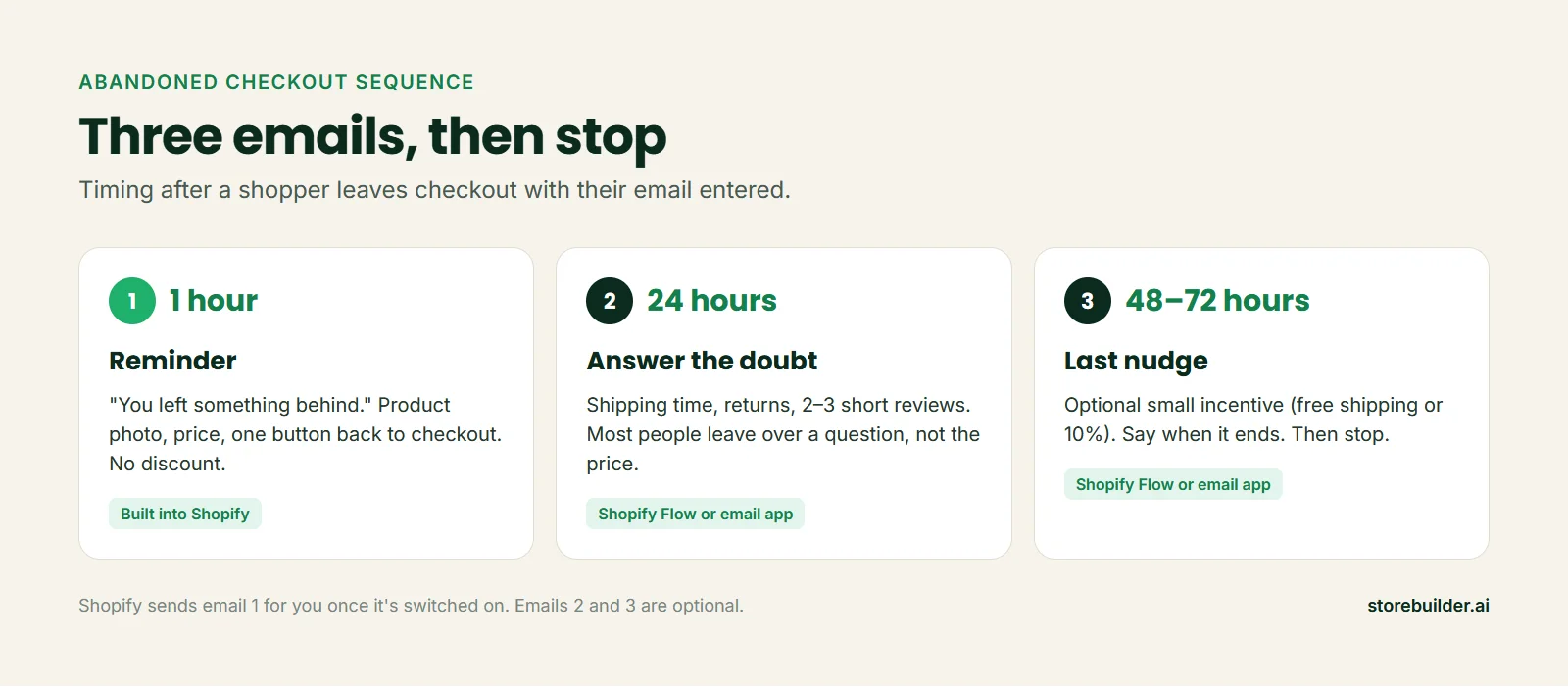
Email 1, after 1 hour: the reminder
Keep it short. Show the product with its photo and price, and give one clear button back to checkout. No discount yet. Many people simply got interrupted, and a discount in the first email teaches customers to abandon on purpose.
Subject line ideas: "You left something behind", "Still thinking it over?", "Your cart is saved".
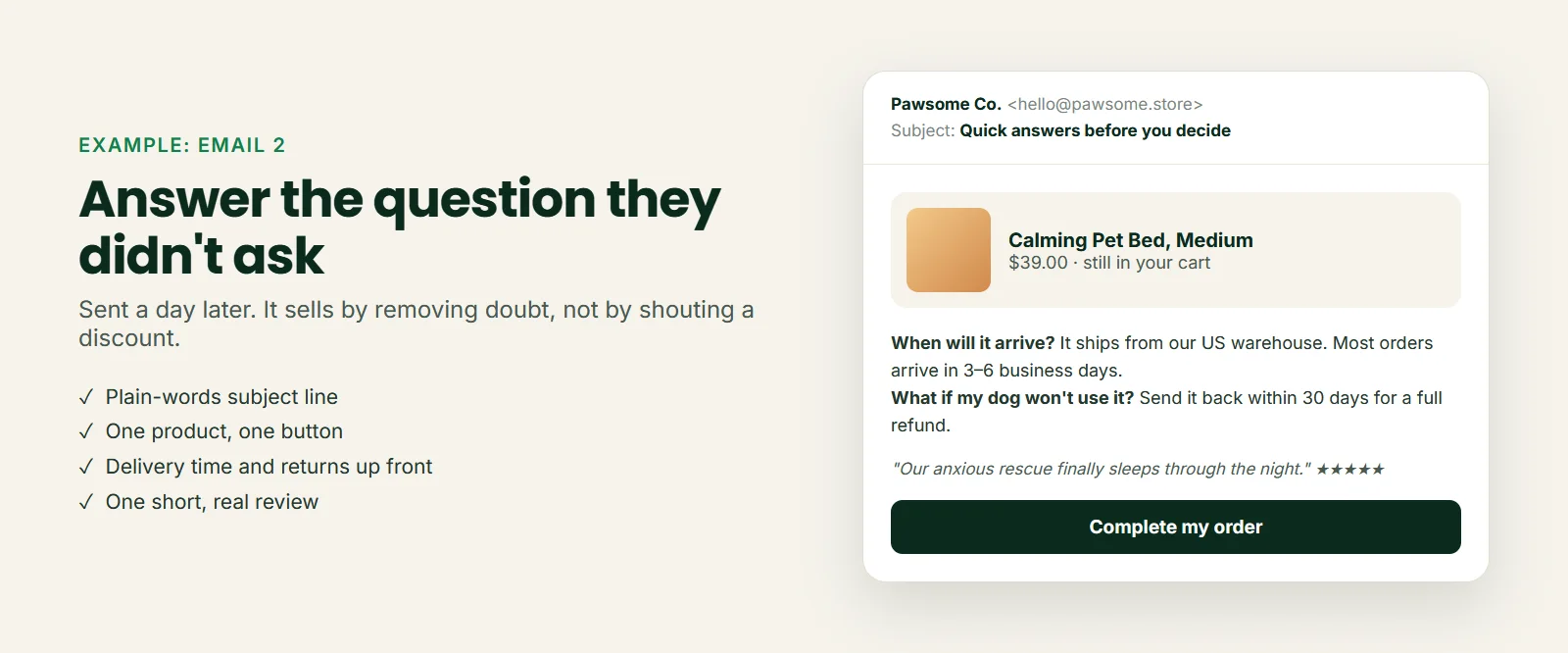
Email 2, after 24 hours: answer the doubt
This is the email most stores skip, and often the one that works best. Most people do not leave because of the price. They leave because of a question. So answer the common ones before they ask: When will it arrive? What if it does not fit? Is this store real?
Email 3, after 48 to 72 hours: the last nudge
If you want to use an incentive, this is the place. Free shipping often works as well as a percentage off and costs you less. Say clearly when the offer ends. Then stop. Three emails is helpful. Seven emails is how you end up in the spam folder.
Shopify's built-in automation handles email 1. For emails 2 and 3, you can extend the workflow with Shopify Flow or use an email marketing app that supports abandoned checkout sequences.
💡 Beginner tip: Write emails 2 and 3 in the same voice as your store, signed by a real name. "Hi, it's Sam from Pawsome Co." gets read. "Dear valued customer" gets deleted.
Mistakes that hurt recovery
- Leading with a discount. It trains customers to wait for one.
- Generic copy. If the email does not show the actual product, it feels like spam.
- Too many emails. More reminders do not mean more sales after the third one.
- Ignoring the real reason. If shipping cost or delivery time is the problem, fix that on the store. Our guide to dropshipping shipping times covers how.
- Never testing it. Start a checkout yourself, leave, and check what arrives and when.
Measure what it brings back
Once the emails are running, check your Abandoned checkouts page each week. Shopify shows which ones were recovered. If recovery stays very low, test a different subject line on email 1 or rewrite email 2 around the question your customers ask most.
Want a store that answers those questions from the start? storebuilder.ai builds your Shopify store free, with shipping and policy pages already written and products from US and EU suppliers, so delivery times are easier to promise.
FAQ
Does Shopify send abandoned checkout emails automatically?
Yes, once you turn the automation on. It sends to shoppers who entered their email and left checkout incomplete for more than ten minutes. You choose the delay before it sends.
When should I send an abandoned checkout email?
About an hour after the shopper leaves is a good default for the first email, then around 24 hours and 48 to 72 hours for follow-ups if you use them.
Should I offer a discount in abandoned cart emails?
Not in the first email. Save any incentive for the last email, and consider free shipping instead of a percentage off. Many shoppers come back without a discount.
What is a good abandoned checkout recovery rate?
It varies a lot by niche, price and how good your emails are. Rather than chase a benchmark, track your own rate each week and try to improve it with better subject lines and a stronger second email.

We help Shopify merchants and online sellers worldwide build stores that succeed and grow, with practical, no-fluff guides for every stage, from launch to loyal customers.